
Study Through Summer with Great Titles
Olive Tree Account
Log in
Can't Log In?
New to Olive Tree?
Olive Tree Account
Forgot Password
Enter the email address associated with your Olive Tree account to reset your password
Concise Study Collection 3
Available for:
iPad, iPhone, Android, Mac, and Windows.
Features
Click on a feature to learn more.
The Resource Guide is the most powerful feature in the Olive Tree Bible App. As you read your Bible in the main window, the Resource Guide follows along and displays relevant Bible study information from your study notes, commentaries, maps and more.
Gain knowledge on any passage of the Bible, exactly when you need it. The Resource Guide will let you know when information in this title is relevant to anything in the main window. It will also track along with you as you read through the Bible.
Wondering where that ancient Israelite city is located that you just read about? Check out the map the Resource Guide will find for you, zooming-in or making it full-screen - or both.
This is so much more than a traditional dictionary. While you're reading the Bible, the Resource Guide will pull up articles from this dictionary. You can also select words in the text and tap "Look Up" to access relevant information in a pop-up window.
Get a feel for how books of the Bible are laid out and how your commentaries will be structured. You can also access these from the Resource Guide when it's applicable to the passage you're reading, providing additional context.
Quickly find information about a book of the Bible, its author, date, audience, purpose, and other topics. If you have an introduction to the book of the Bible you're currently reading, the Resource Guide will make it easily accessible for you.
Did your resource mention a passage of Scripture, but you can't remember what the verse says? Never fear! Tap the linked verse and a pop-up window will appear, giving you quick and easy access to the verse in context.

Concise Study Collection 3

For the Olive Tree Bible App
Publisher: Olive Tree
Concise Study Collection 3
For the Olive Tree Bible App
Publisher: Olive Tree
Available for:
iPad, iPhone, Android, Mac, and Windows.
Features
Click on a feature to learn more.
The Resource Guide is the most powerful feature in the Olive Tree Bible App. As you read your Bible in the main window, the Resource Guide follows along and displays relevant Bible study information from your study notes, commentaries, maps and more.
Gain knowledge on any passage of the Bible, exactly when you need it. The Resource Guide will let you know when information in this title is relevant to anything in the main window. It will also track along with you as you read through the Bible.
Wondering where that ancient Israelite city is located that you just read about? Check out the map the Resource Guide will find for you, zooming-in or making it full-screen - or both.
This is so much more than a traditional dictionary. While you're reading the Bible, the Resource Guide will pull up articles from this dictionary. You can also select words in the text and tap "Look Up" to access relevant information in a pop-up window.
Get a feel for how books of the Bible are laid out and how your commentaries will be structured. You can also access these from the Resource Guide when it's applicable to the passage you're reading, providing additional context.
Quickly find information about a book of the Bible, its author, date, audience, purpose, and other topics. If you have an introduction to the book of the Bible you're currently reading, the Resource Guide will make it easily accessible for you.
Did your resource mention a passage of Scripture, but you can't remember what the verse says? Never fear! Tap the linked verse and a pop-up window will appear, giving you quick and easy access to the verse in context.
Description

Concise Study Collection 3 - Here's an economical set of quality study tools and Bibles (NIV, KJV, and NRSV) to transform your phone, iPod Touch, or PDA into a concise handheld library. Suppose you want to explore a Bible topic, such as redemption or salvation. With this bundle, you'll be able to read about these Bible truths in a commentary or dictionary and trace them through the Scriptures with topical references.

Please note: Bible Atlas is not available for iPhone, iPad, BlackBerry, Android, or Symbian 60-5 at this time.

Compare the Concise Study collection with Olive Tree's other collections.


Detailed list of all items included in the Concise Study Collection 3:

ENGLISH BIBLES

  • New International Version (NIV) - A very popular contemporary English version, based on the original texts.
  • King James Version (KJV) - Its majestic language has moved readers in all generations.
  • New Revised Standard Version (NRSV) - One of the latest modern translations, based on the Revised Standard.

COMMENTARIES

  • Jamieson, Faucett, and Brown Commentary (JFB) - A time-honored critical commentary on the whole Bible.

DICTIONARIES / LEXICONS

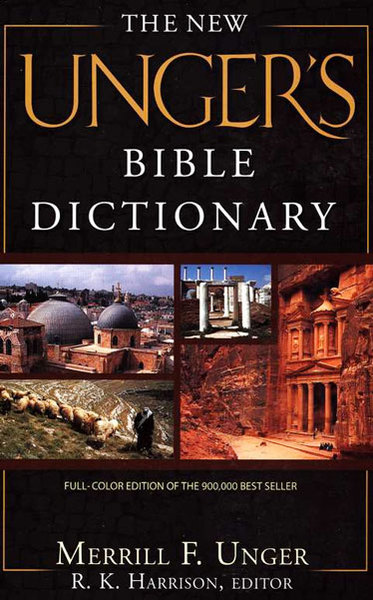
  • Unger's Bible Dictionary - Find out about people, places, and teachings of the Bible, richly detailed.
  • International Standard Bible Encyclopedia (ISBE) - Generous articles by over 200 scholars fill this classic multi-volume work.

MAPS / ATLAS

  • Bible Atlas - Search for place names and locate them on handy maps that are easy to navigate.

Pricing Comparison
Total Undiscounted Price: $77.90
Collection Price: $37.00
You Save: 53% ($40.90)

Available for:
iPad, iPhone, Android, Mac, and Windows.